Keep your people close. Even off the grid.
Knit is a messenger that doesn't need internet or cell signal. Nearby phones pass your messages along over Bluetooth and Wi-Fi, so you can find friends across a crowd and keep the group in touch. You don't need a server or an account to use it.
See how it works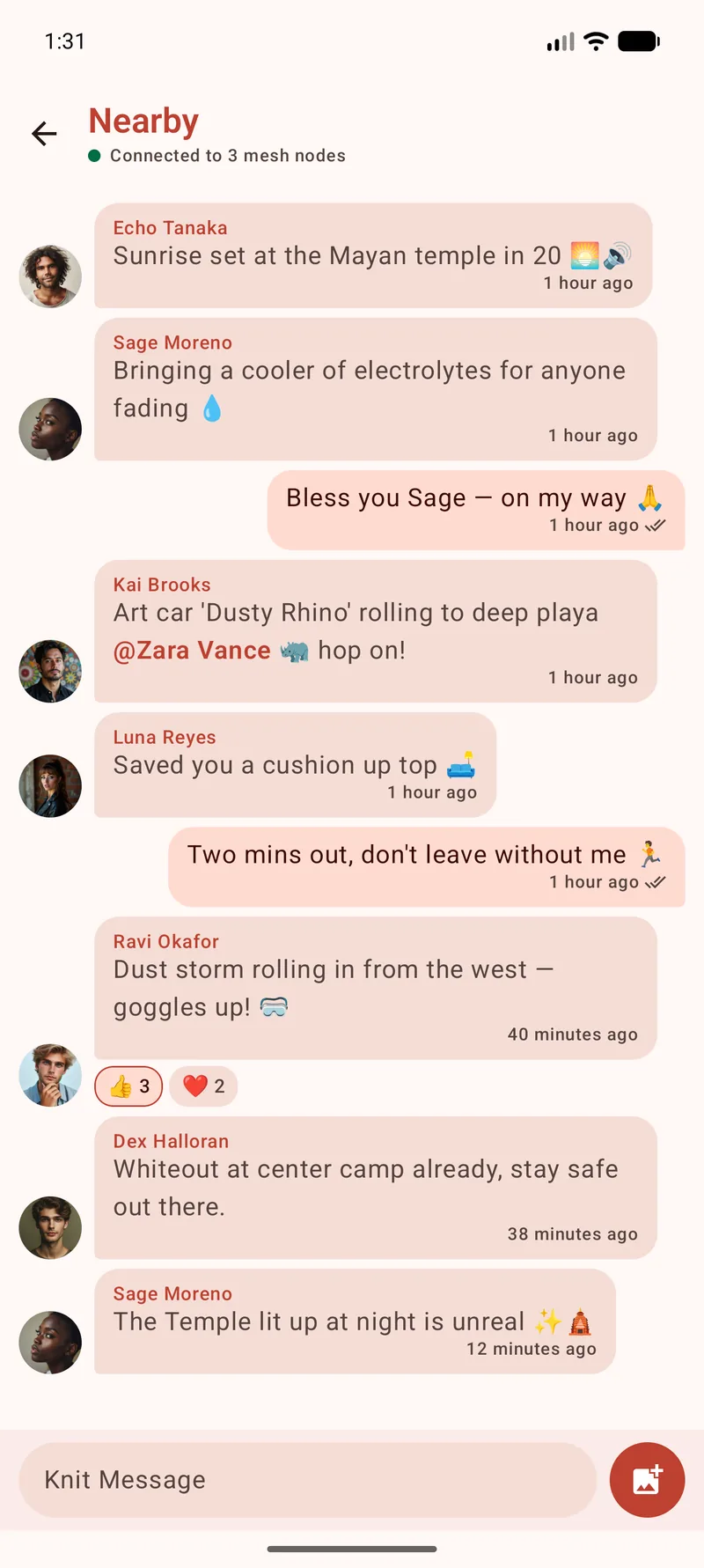
How it works
Your message hops across the crowd
Each Knit phone can help carry a message to the next. Together, nearby phones build a route beyond the reach of any one device.
Interactive
Play the blackout
Decide who in the crowd gets Knit, press send and watch the route take shape. Four puzzles and a sandbox, ready to play in your browser.
Knit finds nearby phones
Open Knit with Bluetooth and Wi-Fi enabled, and it discovers other Knit phones nearby. You can start chatting without pairing phones or creating an account.
Your message hops device to device
Every phone that receives your message passes it onward, so it ripples outward across the crowd.
It reaches people beyond your range
Each hop extends the route toward your friend. The people between you help your message travel beyond your phone's own range.
Features
The conversations you want to carry with you
Photos, voice notes, calls, group plans and quick hellos, with nearby phones helping your messages reach the next person.
Mesh relay messaging
Nearby Knit phones pass your messages along over Bluetooth and Wi-Fi to reach friends across the crowd, and hold them until a path opens. Switch on an Internet relay to keep chatting after you head home.
How the mesh holds a message →Long range with a LoRa radio
Pair an optional Meshtastic radio and your direct messages and the Nearby room cross kilometres. One board shares that reach with the Knit phones around it, while group chats stay on the phone radios.
How the LoRa bridge works →Nearby room, DMs & groups
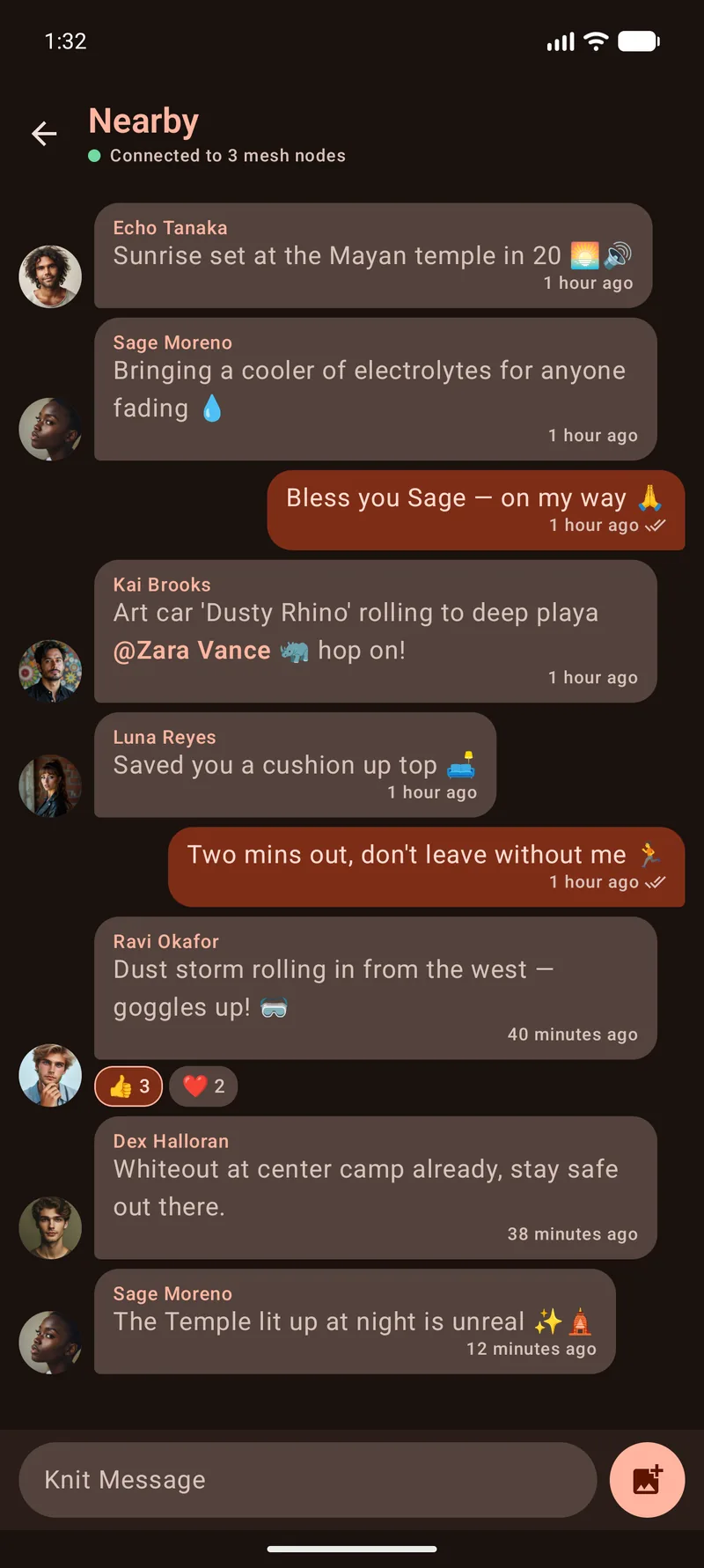
Post to everyone around you in the public Nearby room, or take it to a 1:1 chat or a named group for your people.
End-to-end encrypted chats
Direct and group chats are end-to-end encrypted, even while other phones carry them. Scan a QR code or compare safety numbers to verify a contact.
Photos, voice notes & files
Send photos, voice notes and any file up to 8 MB. In direct and group chats, they stay sealed end to end.
Voice calls, live or over the mesh
In any one-to-one chat, a live call works like a phone call, over Wi-Fi Direct or the Internet. A mesh call is hold-to-talk, through up to three other Knit phones. Both are end-to-end encrypted, and no call audio is saved.
How Knit calls work →Direct file send
Hand a friend nearby a file up to 8 GB, like a whole movie or an offline map. Your two phones connect straight to each other over Wi-Fi, so it never crosses the mesh or the internet.
Reactions, search & profiles
React with any emoji, reply inline, @-mention a friend and search every chat. A two-word alias like ReallyEnlightenedZebra tells you apart from the other Sam.
Encrypted backup
Move to a new phone with one encrypted file of your identity, chats and photos. Only the recovery key Knit shows you once can open it, and your contacts still know it's you.
On-device AI moderation
With Content filtering on, an AI model on your phone hides abusive messages and explicit images until you tap. Posts to the public rooms get the same check before they go out, and nothing is uploaded.
Watch
The 30-second tour
See Knit carry a conversation from a festival crowd to an end-to-end encrypted group chat, then read a paired Meshtastic radio's own channel in the same chat list. No internet or servers required.
A look inside
See Knit in action
A quick look at your chats, the files you can hand across, and the work your phone does for the mesh.
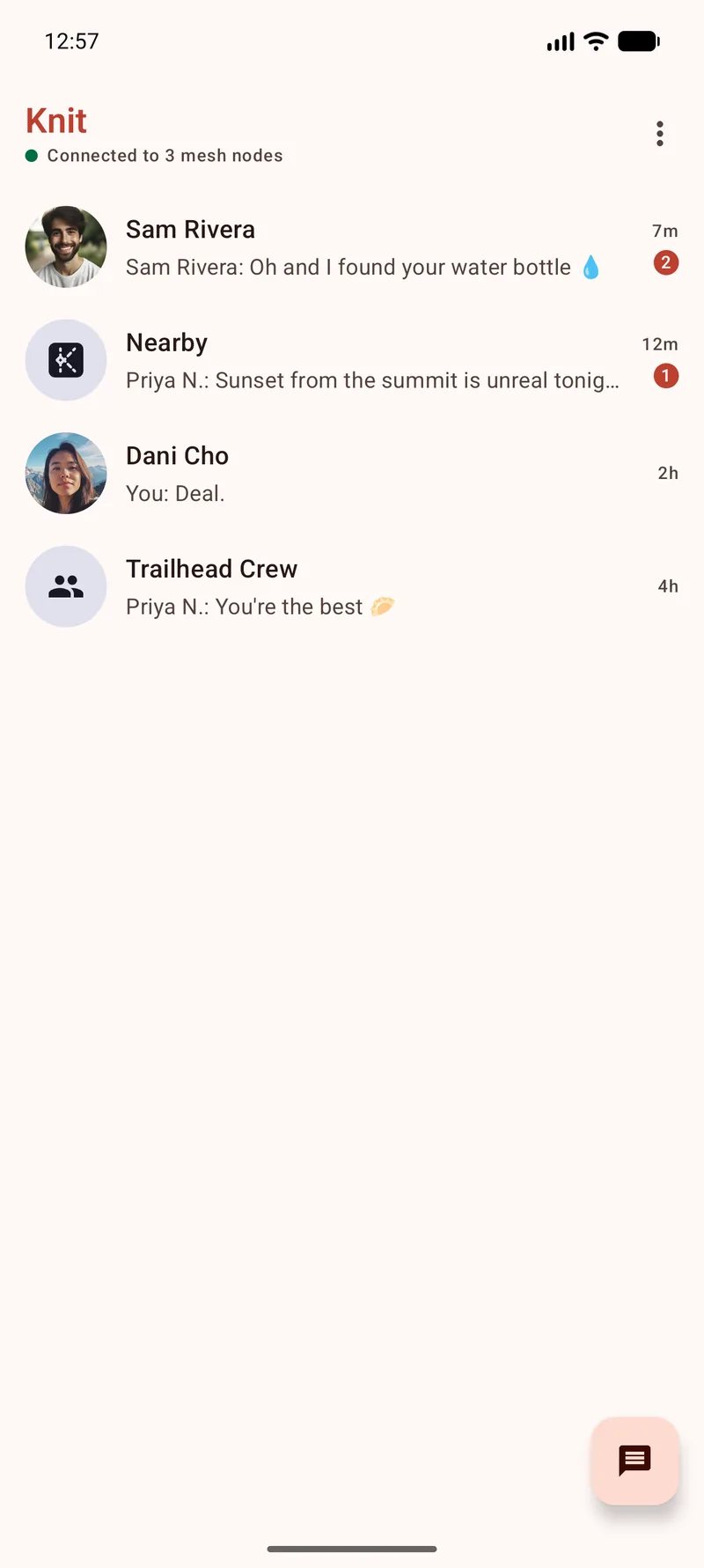
All your chats in one place
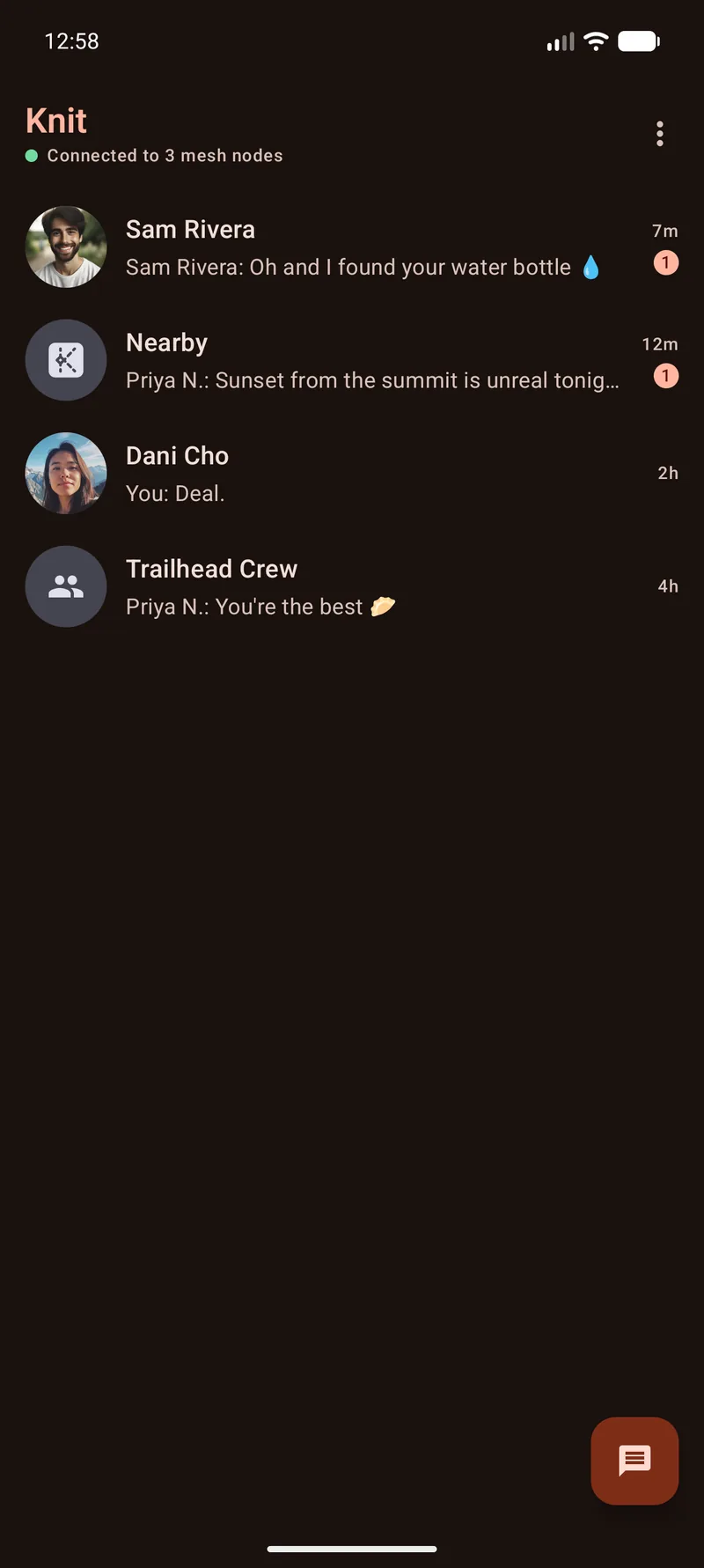
Direct messages, the open Nearby room and your group threads share one list, with unread badges and delivery ticks, over a live mesh of nearby phones. Pair a Meshtastic radio and its room joins the list too, and the magnifier finds any chat, contact or message by what it said.
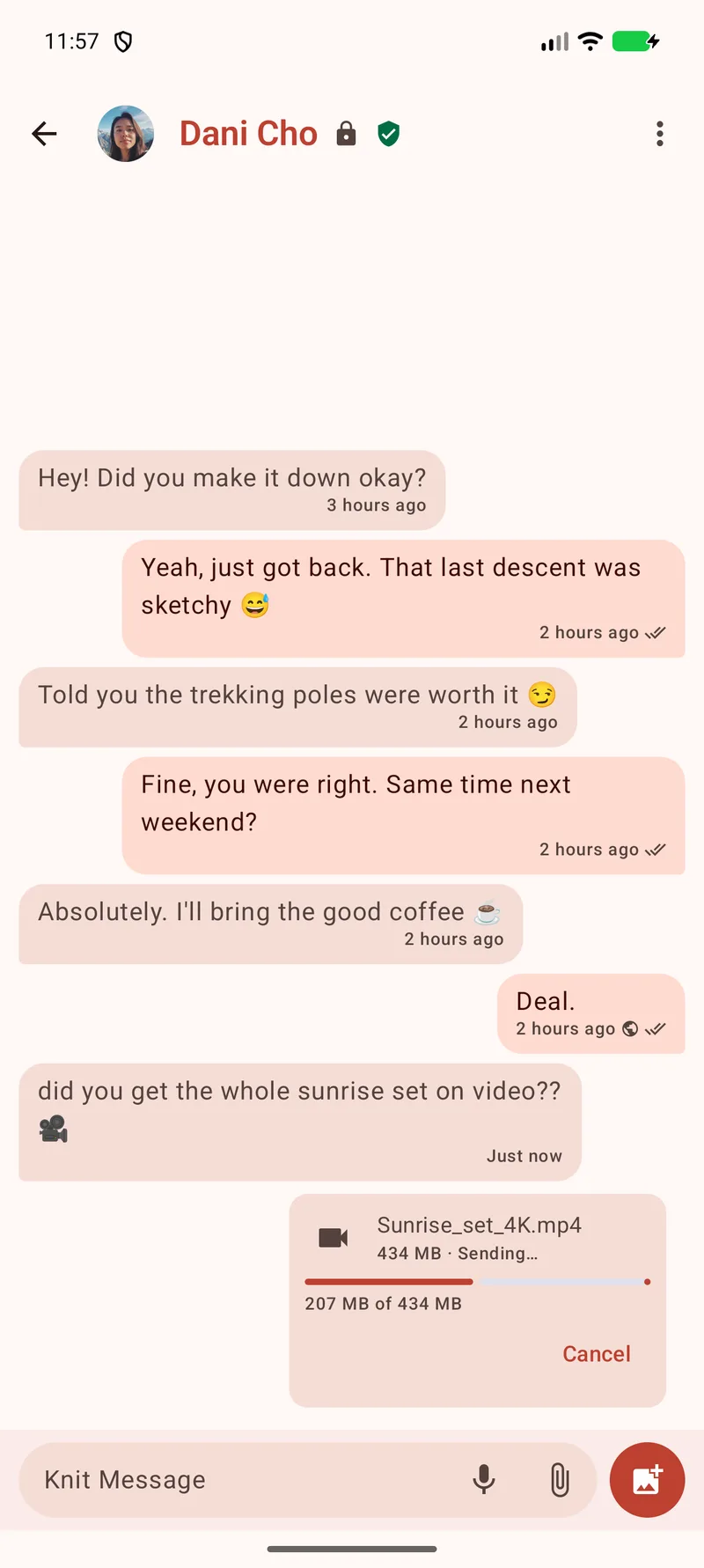
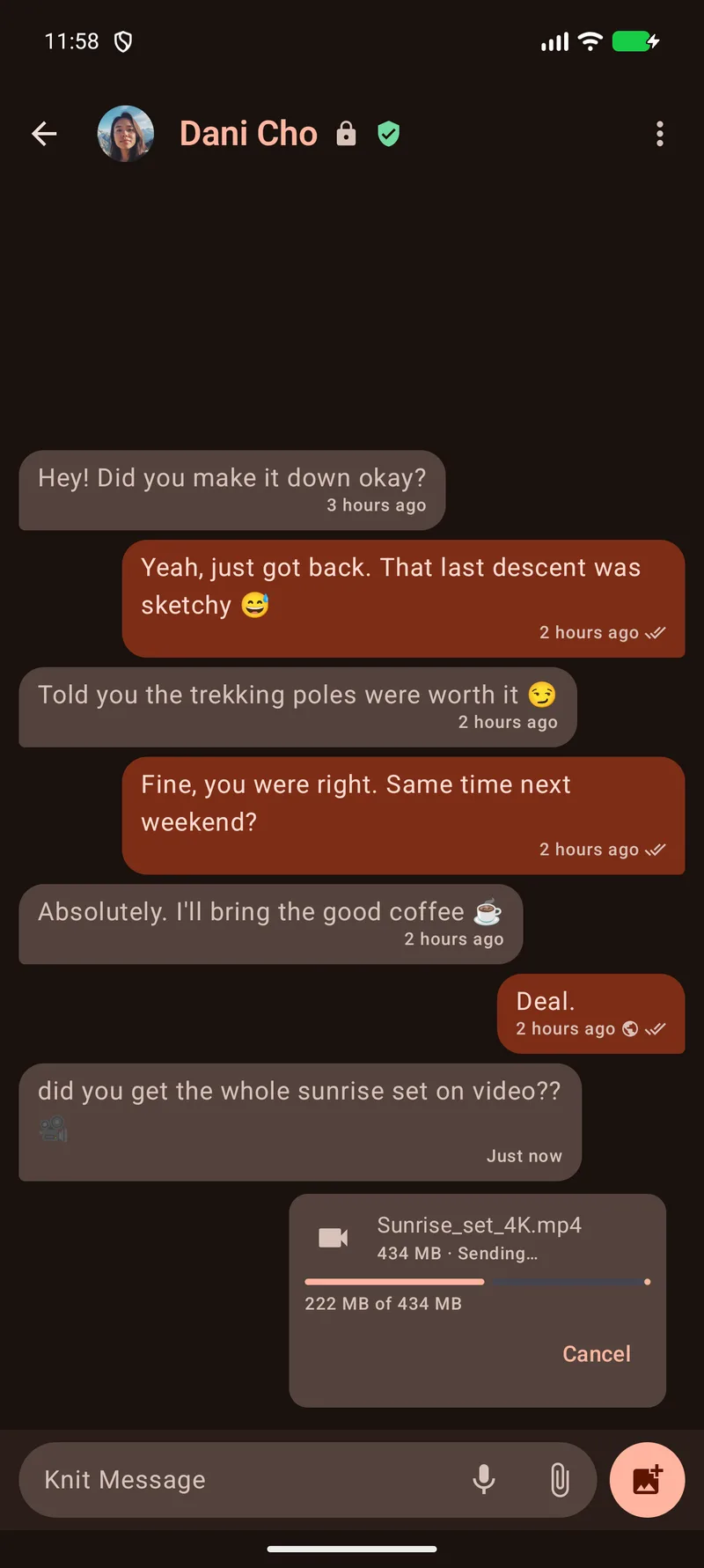
Big files, straight across
Send someone nearby a file up to 8 GB, like the whole sunrise set on video. Your two phones connect over Wi-Fi and the file goes straight across, sealed end to end inside your direct message. The shield by the name means you've verified this contact.
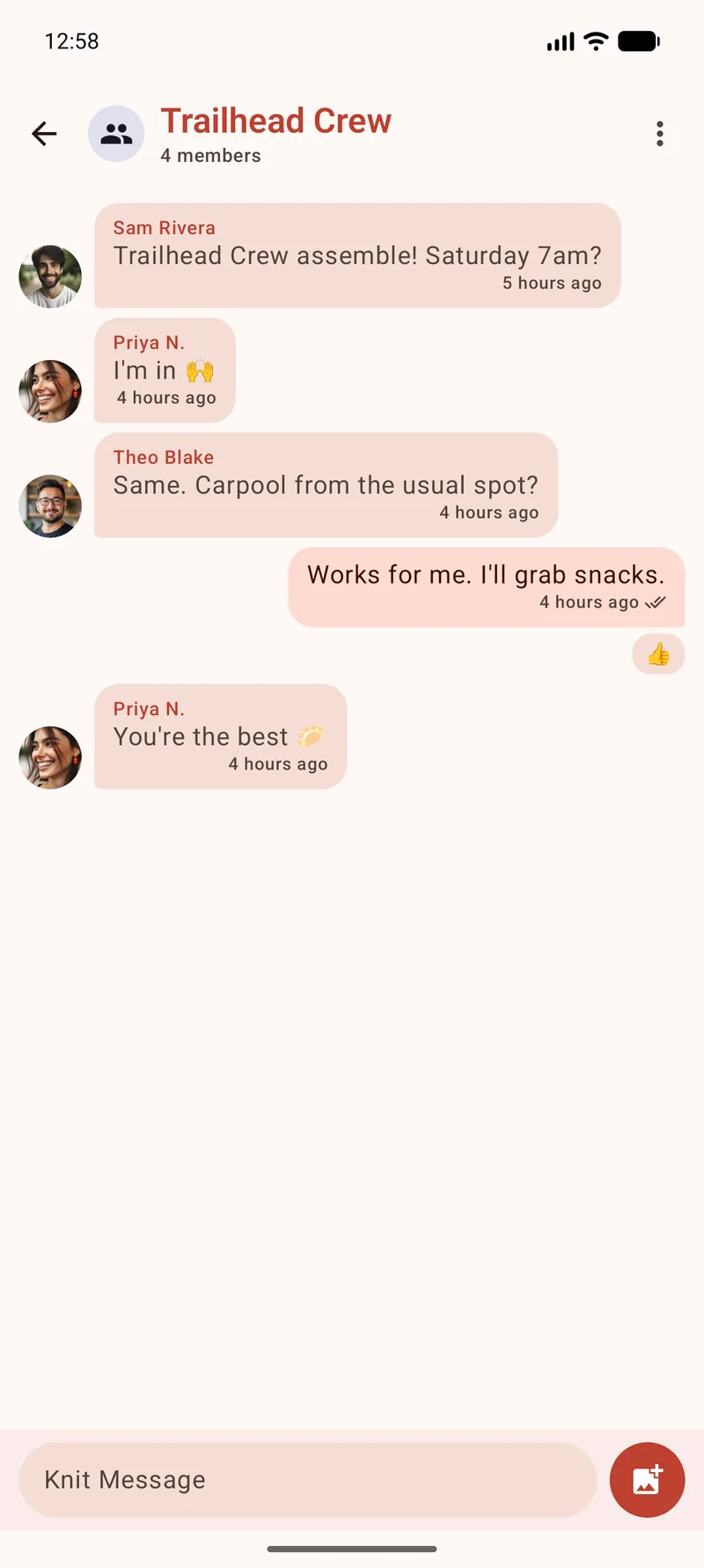
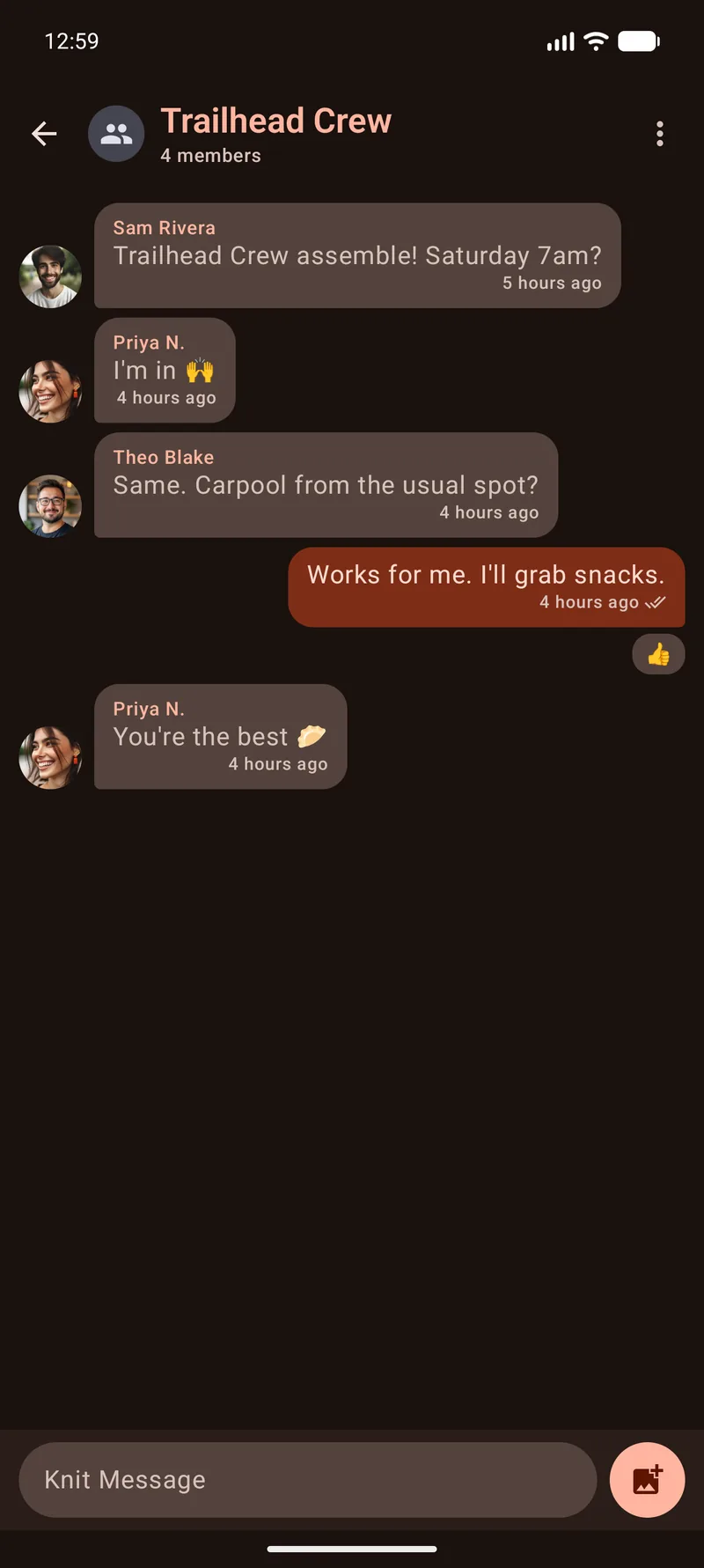
Group chats
Spin up a named group, reply to any message, react, leave a voice note or drop a pin where you parked. It's all end-to-end encrypted, just like your DMs.
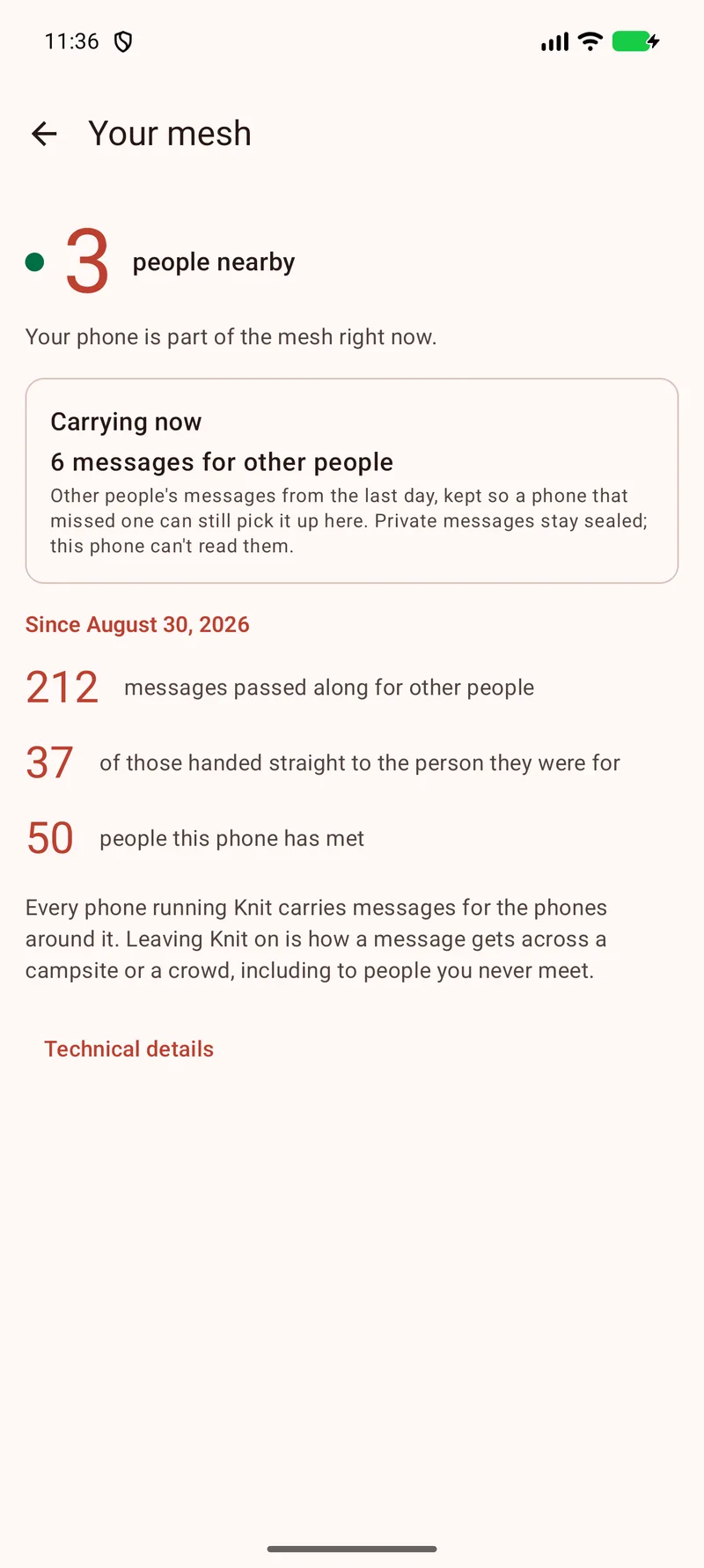
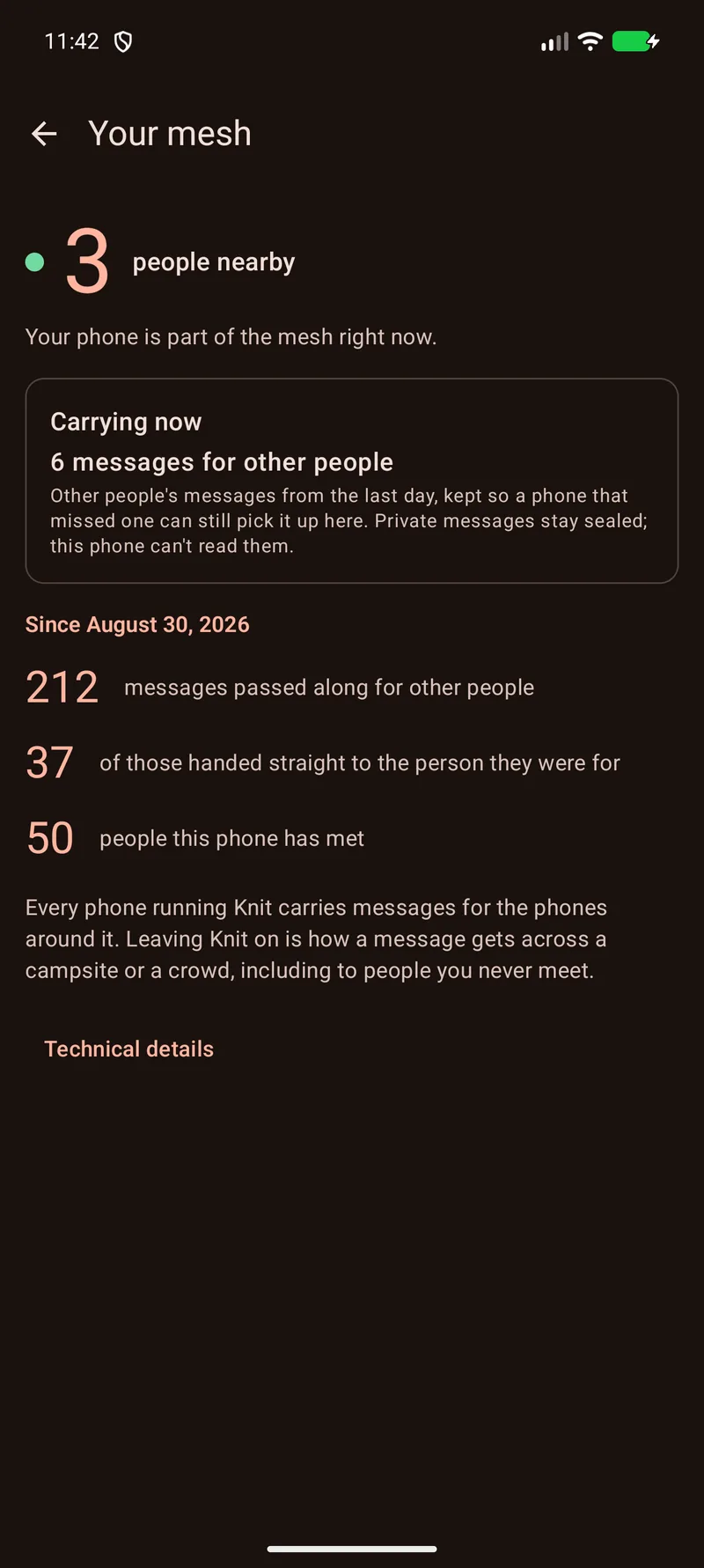
Your phone helps carry the mesh
Your mesh shows what your phone has done for everyone else: messages passed along, messages handed straight to the person they were for, and how many people it has met. Direct and group messages it carries stay sealed, and every number is counted on your phone and stays there.
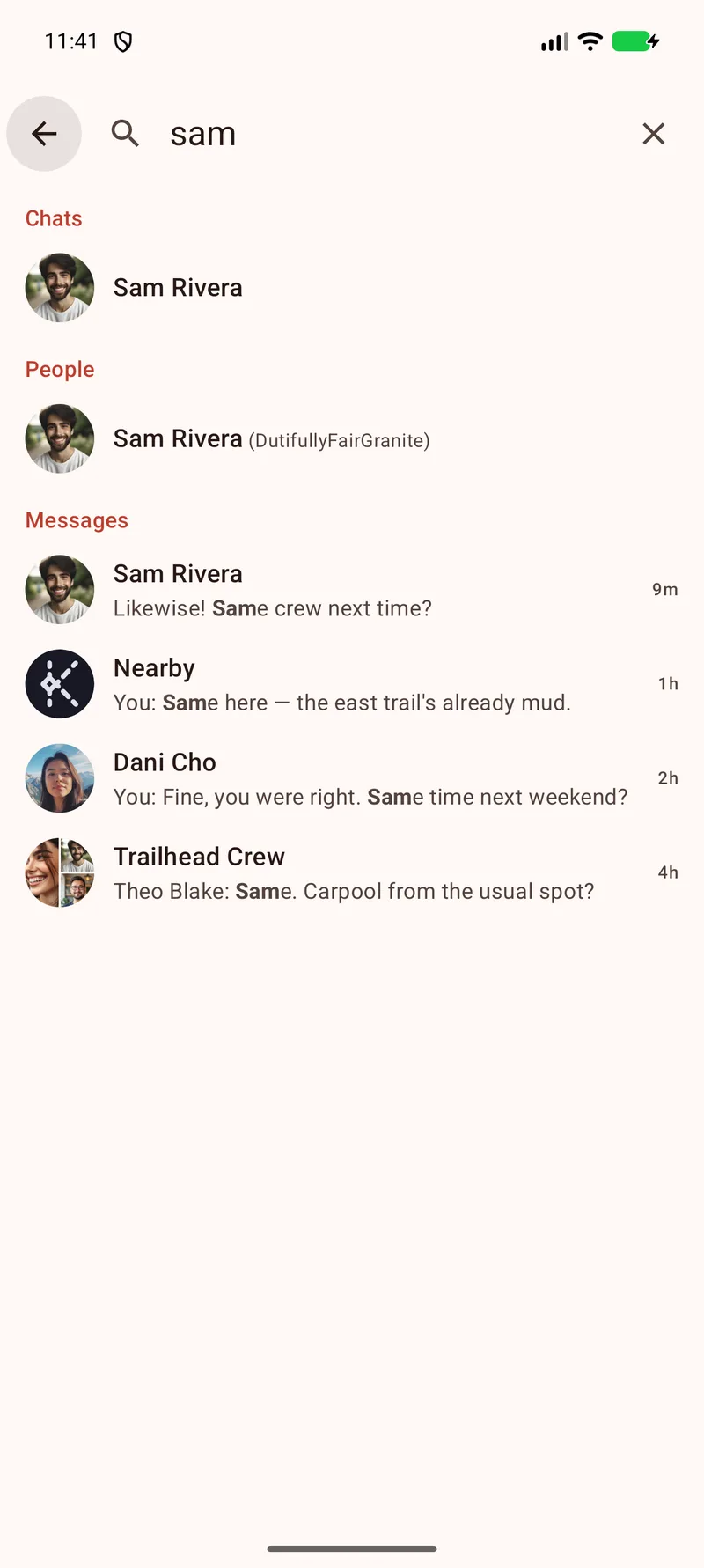
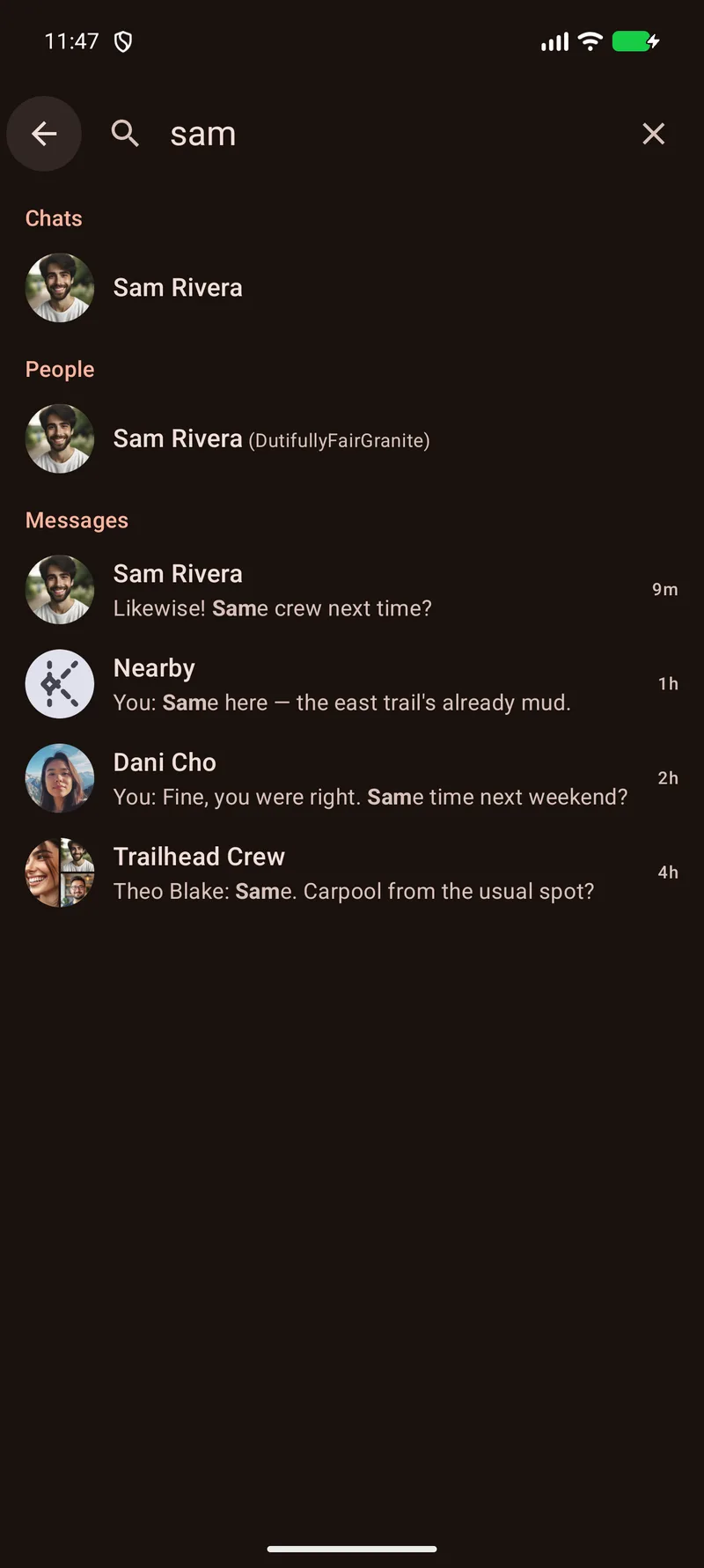
Search every chat
Type a name or a word and Knit looks through your chats, your contacts and every message, right on your phone. Open a result and the chat lands on that message.
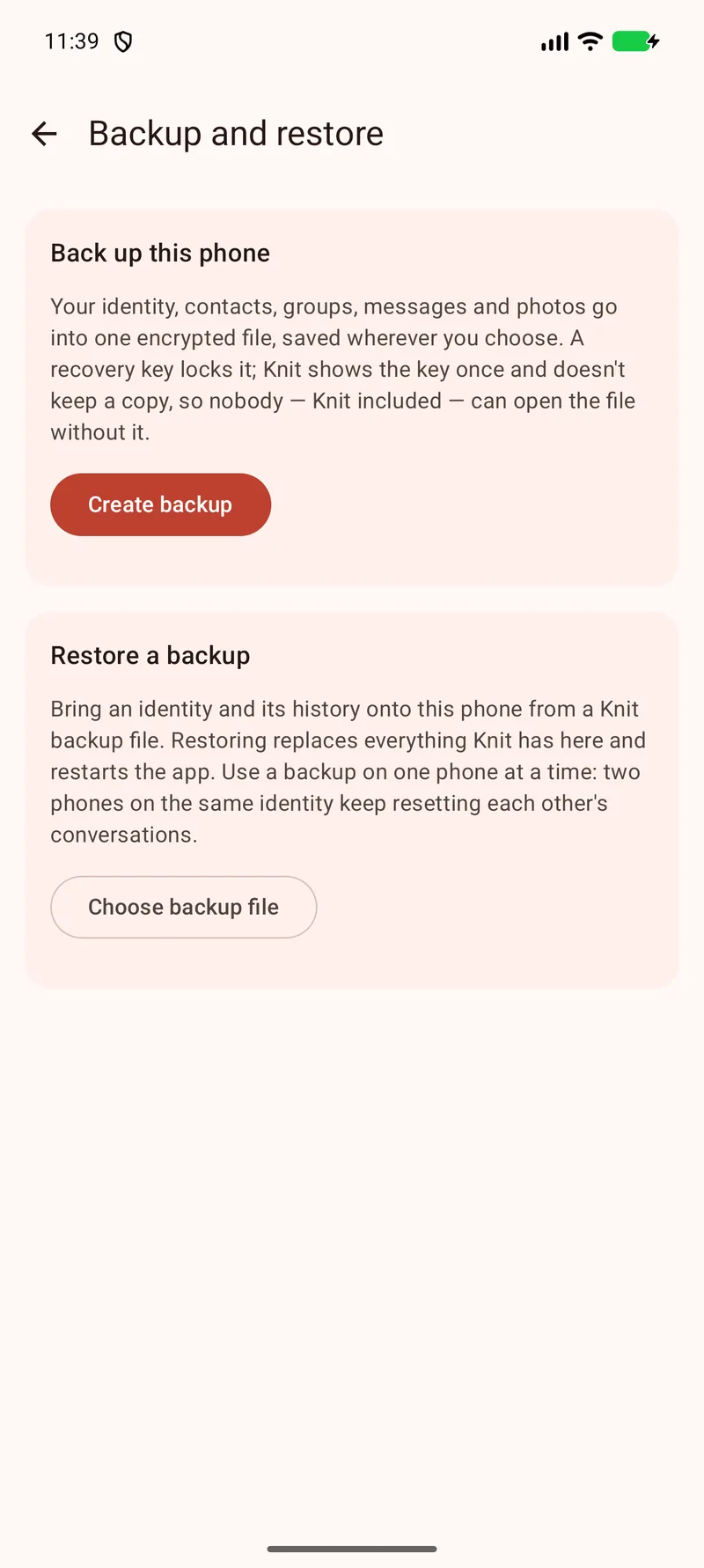
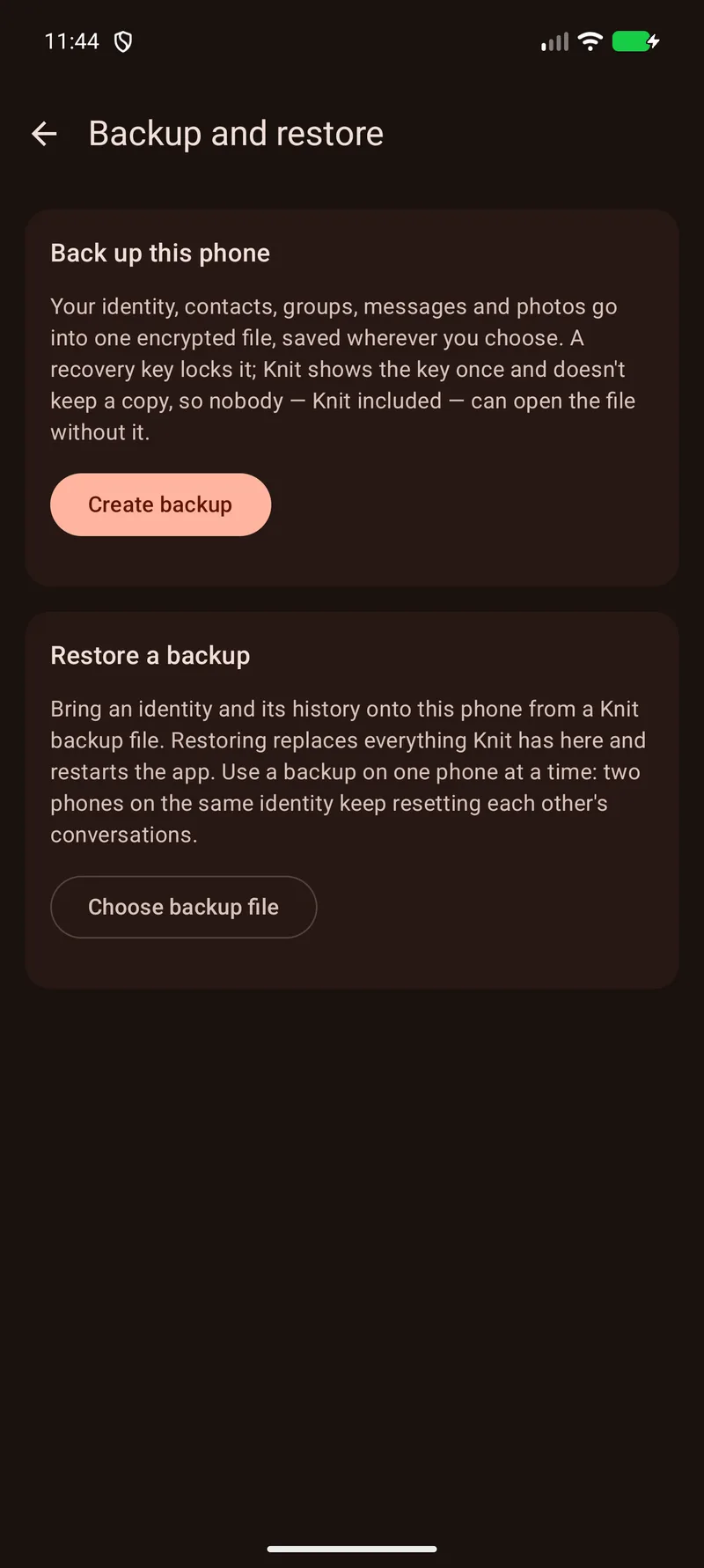
Take your chats to a new phone
Backup and restore puts your identity, contacts, groups, messages and photos into one encrypted file. Only the recovery key Knit shows you once can open it, and restoring it on your next phone brings everything back.
Where it shines
Bring Knit along
Festivals & crowds
Find your group when the network buckles under thousands of phones.
Marches & rallies
Coordinate on the ground when you'd rather not lean on the cell network.
Disasters & dead zones
Stay reachable when towers are down, or were never there to begin with.
Travel & off-grid
Message the people around you on a trail, a boat or abroad. No SIM required.
Packed venues
Cut through congested stadium and conference Wi-Fi with a network of your own.
Outages & blackouts
Keep your block in touch when a storm or outage takes the power, and the internet, with it.
Read the offline guides for practical ways to stay in touch at events, on trips and around your neighbourhood.
Private by design
Your conversations, protected
Share with confidence in end-to-end encrypted direct and group chats. Verify a contact in person and choose the connections you want to use.
- Direct and group chats stay end-to-end encrypted, including when other phones or optional relays carry them.
- Keys rotate per block of messages and spent keys are deleted to protect recorded traffic. Peers on older builds use the previous static-key scheme without forward secrecy.
- Your chat history is encrypted on your phone under a hardware-backed key excluded from backups. Reading it requires unlocking the device.
- Text and image moderation runs on your phone, with no uploads for analysis.
- The Knit app is open source under the GPLv3. Anyone can inspect how it works or build it themselves.

Who builds Knit
One engineer, from the chat screen down to the radio.
Jeff Mixon is a senior software engineer who builds distributed systems, full-stack products, and machine learning infrastructure. His work spans the stack, from TypeScript services and mobile applications down to Linux kernel drivers and software-defined radio.
That range matters for Knit. It communicates directly over the Bluetooth and Wi-Fi radios already in your phone, without requiring an account or central server. Direct and group chats are end-to-end encrypted, while moderation runs locally on the device.
Jeff designs, builds, and maintains Knit himself. Knit is his full-time job, and its supporters help pay his bills and keep Knit's servers running.
Help Knit keep growing
Knit is free and ad-free, funded by its supporters. Building it is one developer's full-time job, and your support pays the bills and keeps Knit's servers running.
One-time or recurring. Every bit helps.
Knit is built by an independent developer, not a company or charity. Support is voluntary and not tax-deductible. Supporters on GitHub Sponsors or Ko-fi at the level the Knit Anywhere site names receive Knit Anywhere as a thank-you. Liberapay goes to the developer personally, with no perks.
What supporters receiveFAQ
Questions, answered
What is Knit?
Knit is a free, open-source messaging app for Android that doesn't need internet or cell service. Phones running Knit pass messages to each other over Bluetooth and Wi-Fi, so a message can hop through a crowd to reach someone beyond your phone's range. Direct and group chats are end-to-end encrypted. The Nearby room is the open one, for talking with everyone around you. There's nothing to sign up for. Pair an optional Meshtastic LoRa radio when you want direct messages to travel kilometres.
Is Knit really free?
Yes. Knit is free, with no ads and no tracking. It's funded by its supporters, through GitHub Sponsors and Ko-fi, which is why those buttons are on this page, and Liberapay supports its developer directly. Knit is one independent developer's full-time job, not a company or a charity, so support isn't tax-deductible. Knit thanks its supporters with Knit Anywhere: calls through Knit's own call relay (a TURN server), larger files in chats over Knit's public relay, and a supporter badge. Relaying calls and storing large files cost real money for every person who uses them, so Knit offers them as a thank-you to the people who pay for them. The app, nearby messaging, messages over the internet, small files over Knit's public relay and calls wherever a direct path exists stay free for everyone, and anyone can run Knit Spool with any file size and their own call relay. If Knit is useful to you, supporting it is what keeps it going.
What supporters receive →Does it really work with no internet?
Yes. Knit connects nearby phones over Bluetooth and Wi-Fi, with no internet connection or cell service required. Opt-in Internet relays let existing direct and group chats continue when you are farther apart. You choose when to turn them on.
How far does it reach?
Every Knit phone extends the route, so a message can travel well beyond your own Bluetooth or Wi-Fi range. Phone hops typically cover tens of metres. For bigger gaps, pair Meshtastic radios with the phones at each end: LoRa hops can span kilometres, depending on terrain and radio setup.
Can it reach someone who isn't nearby?
Yes. Nearby phones can carry a message onward until it reaches the person you want. For longer radio hops, add Meshtastic boards at each end to extend direct messages and the public Nearby room. For conversations farther afield, switch on optional Internet relays: they hold sealed copies of existing direct and group chats until the other end connects. Relays need no accounts, cannot read the messages and expire copies within 48 hours. They can see that a conversation is active and the IP addresses connecting to it. The public Nearby room stays radio-only.
Can I send a big file, like a video?
Yes. Any file up to 8 MB can go in a direct message or group chat and travels across the mesh like a message. For something bigger, open a direct message with someone nearby and pick Direct file send: once they accept, your two phones connect over Wi-Fi and the file, up to 8 GB, goes straight across. It is sealed end to end with a key made for that transfer and never crosses the mesh or the internet. Both phones need Wi-Fi switched on, and the file lands in their Downloads folder.
Can I call someone on Knit?
Yes, from any one-to-one chat, once you both have a version of Knit with calls. A live call works like a phone call: you talk and listen at the same time, over Wi-Fi Direct between nearby phones, a shared Wi-Fi network or the Internet. A mesh call is closer to a walkie-talkie. You hold to talk and release to listen, and your voice passes through up to three other Knit phones over Bluetooth and Wi-Fi Aware, about a second behind you. Both kinds of call are end-to-end encrypted, and Knit saves no call audio. Calls are one-to-one and voice only, so group chats and the Nearby room stay for messages, and no call uses a paired LoRa radio. A call across the Internet rings through a relay you both have switched on.
Do I have to run my own relay?
No. Internet relays are opt-in and stay off until you add one, and Knit works without them. When you do want one, there are three ways: switch on the relay Knit already lists, add one that someone you trust runs, or run your own with Knit Spool, the open-source relay software. Whichever you choose, your phone seals each message before it leaves, so a relay holds copies it cannot read. There is also a fourth: Knit Hosted, a Spool that Knit's developer runs for you as a separate paid option, for people who would rather not run their own. You get a hostname and a token of your own, and it runs the same Knit Spool, so it sees what any other relay sees and nothing more.
Knit Hosted →Does Knit work with Meshtastic radios?
Yes. Pair a Meshtastic board over Bluetooth to extend direct messages and the public Nearby room across longer radio hops. One board with each distant group can serve the Knit phones around it, so everyone can share the extra reach. Knit handles channel setup and preserves the board's primary channel. Direct messages stay end-to-end encrypted; group chats and attachments use the phone mesh or an optional relay. Sender and recipient addressing, timing and size remain in the clear on the radio channel. You choose whether direct messages use LoRa, and the hardware is entirely optional.
What is the Meshtastic room?
Your radio's primary Meshtastic channel, right inside Knit. Read and post without switching apps, and see which posts match a contact's radio. A valid radio signature earns a shield when Knit can verify it against that contact's profile. The room sits outside Knit's encryption: default channels use publicly known keys, while custom channel keys are shared by the radios that know them. Posts stay on the Meshtastic side; Knit does not forward them into its phone mesh or onto the internet. You can turn the room off and keep using the radio for Knit messages.
Is it secure? Is it end-to-end encrypted?
Direct and group chats are end-to-end encrypted, including their text, mentions and attachments. Only participants can read them, and you can verify a contact by comparing safety numbers or scanning a QR code. Forward secrecy protects recorded traffic through key rotation per block of messages and deletion of spent keys. Peers on older builds fall back to the previous static-key scheme, which has no forward secrecy. The public Nearby room is open by design, an open broadcast everyone around you can read.
If someone gets hold of my phone, can they read my chats?
Your chats are stored in an encrypted database, protected by a key in Android's hardware-backed keystore that stays out of cloud backups. Copying the files from a locked phone does not make them readable. Someone who can unlock the device and open Knit can read the chats, so your screen lock remains important.
What happens when I get a new phone?
Your chats come with you. In Settings, Backup and restore writes your identity, contacts, groups, messages and photos into one encrypted file you save wherever you like. A recovery key that Knit shows once and doesn't keep is the only way to open it. On the new phone, choose Restore from the welcome screen, pick the file and enter the key. Your contacts see the same person, and conversations pick up as their phones reconnect. Use a backup on one phone at a time and stop using Knit on the old one, since two phones sharing one identity keep resetting each other's chats.
Is Knit open source?
Yes. The Knit app is published on GitHub under the GPLv3 licence. Explore how messaging, encryption and on-device moderation work, build the app yourself or contribute an improvement. The source is there for anyone to inspect.
What permissions does it need?
Just the nearby-devices permission, so Knit can find the phones around you. Older Android versions may also ask for location, because the system ties Wi-Fi and Bluetooth scanning to it. Knit reads where you are only when you send it from a chat's menu, and Android asks for that permission the first time you do. Voice notes and calls ask for the microphone the first time you use them, and Android may ask you to let Knit show an incoming call on the lock screen. It works best when allowed to run in the background so it can keep relaying for the people around you.
Where can I get Knit?
Knit is live on the Google Play Store and on F-Droid, the app store for free and open-source software. Tap either button on this page to install it. F-Droid builds Knit from the public source, so you can check that what lands on your phone matches the code on GitHub. Either way it's the same free app, and its supporters are what keep it growing.
Is there an iPhone version?
Not yet, but it's coming. Knit for iPhone is in development and speaks the same protocol as the Android app, so an iPhone will mesh over Bluetooth with the Android phones around it. There's no release date yet, and until it ships, Knit runs on Android 10 and newer.
What do I need to run it?
An Android 10 phone or newer. That's it. No Google Play services, no SIM and no account. Knit meshes over both Wi-Fi Aware and Bluetooth LE, so it still works on phones that only have one of the two.
Bring your people into the conversation
Knit is on Android. Grab it on Google Play or F-Droid, and support Knit on Ko-fi or GitHub Sponsors. Knit for iPhone is on the way.
Requires Android 10+ — no Google Play services, no SIM, no account.